FedEx is updating their integration platform and all ShipLeap customers using FedEx must authenticate their FedEx account before June 1, 2026 to avoid shipping interruptions.
Before starting:
- Make sure you are running ShipLeap Momentum version 9.0.3 or newer
- Make sure you have access to the email and phone number associated with your FedEx account
- Make sure you have the exact FEDEX billing address
Step 1: Open Carrier Accounts
In ShipLeap Momentum, navigate to:
GEAR → MANAGEMENT → CARRIER ACCOUNTS
Step 2: Authenticate Your FedEx Account
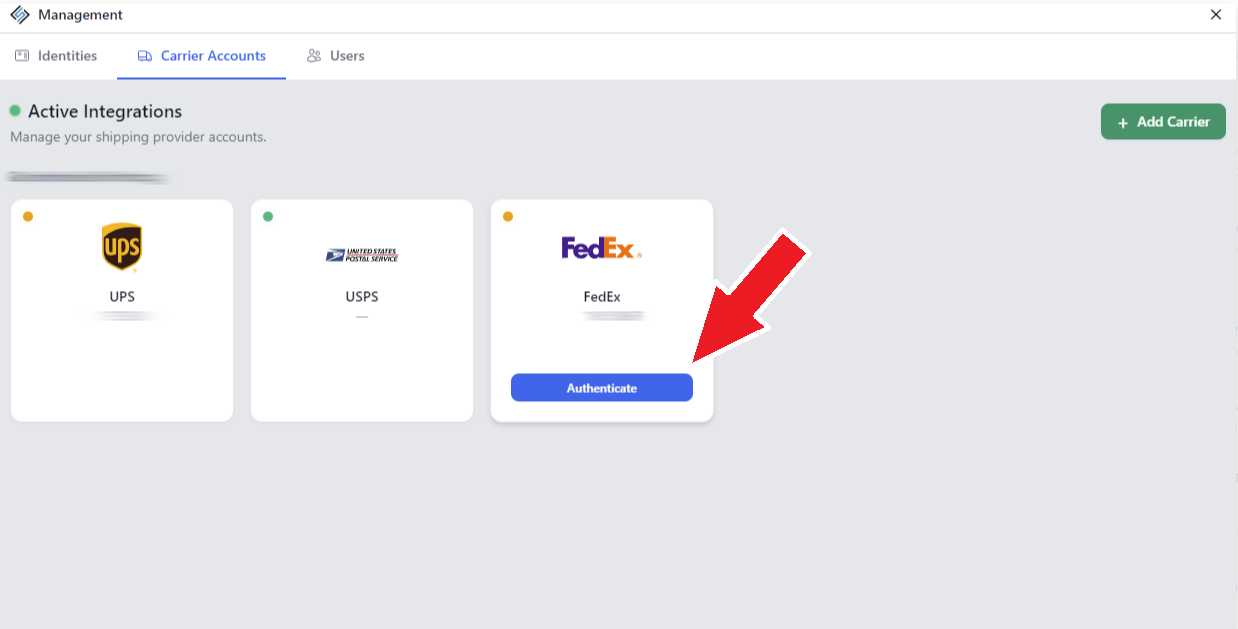
Locate your FedEx account tile.
If authentication is required, you will see a blinking yellow status indicator in the top-left corner of the FedEx tile.
Hover your mouse over the FedEx tile and click the blue AUTHENTICATE button.
Step 3: Verify Your FedEx Account
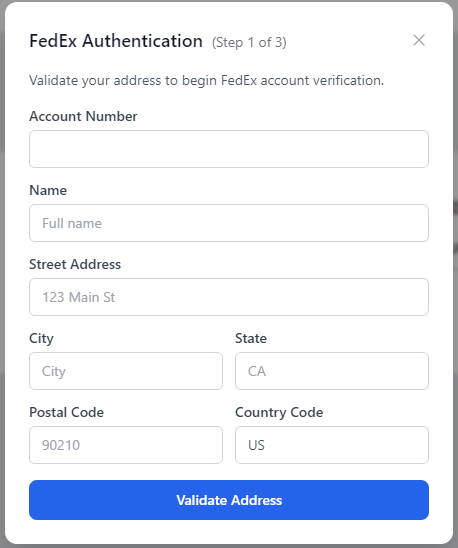
FedEx will ask you to verify your account information.
*** THE ADDRESS YOU ENTER MUST MATCH THE FEDEX BILLING ADDRESS ***
You will need:
- Name on the account (It may be your first/last name instead of Company name)
- Billing address
- Access to the phone number registered with FedEx
FedEx will call the registered phone number or email you and provide a verification code.
Enter the code when prompted to complete authentication.
Step 4: Confirm Authentication Was Successful
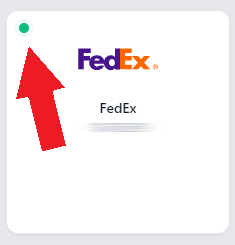
Once completed successfully, the FedEx tile in ShipLeap should display a green status indicator.
If you experience any issues during authentication, please email support@shipleap.com
Was this article helpful?
That’s Great!
Thank you for your feedback
Sorry! We couldn't be helpful
Thank you for your feedback
Feedback sent
We appreciate your effort and will try to fix the article