If you want to change the company name or address information on your account, you'll have to delete the address and re-create it. You can't currently edit the addresses.
First, let's add the new ship-to address. Go to the SHIP Tab and click on the + to add the new Name and address
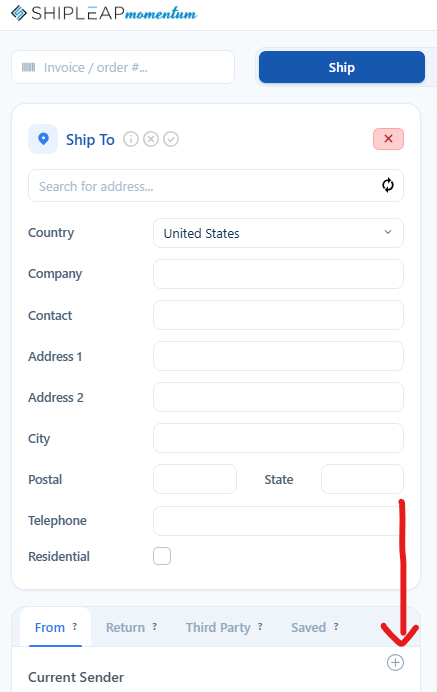
Remove the old version
1. Hover over the GEAR
2. Click on Settings
3. Click on ADDRESS FROM
4. Click on the address you want to change and click on Remove Selected
If you want to make the new address the default, click on the that address and click on Set Default
Was this article helpful?
That’s Great!
Thank you for your feedback
Sorry! We couldn't be helpful
Thank you for your feedback
Feedback sent
We appreciate your effort and will try to fix the article