A sample CSV file is attached to this article (at the very bottom). The columns that are available are listed below. Red means required, blue means optional
company,attention,street1,street2,city,state,zipcode,width,
height,length,weight,carrier,service,phone,reference1,
reference2,invoice,options1,options2,options3,email1,
email2,email3,residential,fedex_po,fedex_dp,box,order_name, insurance
Here are notes about some of the fields:
state:
We recommend you use the 2 letter abbreviated state name (i.e. NJ -- not New Jersey)
width, height, length:
just an integer in inches (do not include "). We recommend you round up.
weight:
just an integer for pounds (do not include the word "lbs" or "pounds"). We recommend you round up. If you want to do ounces, do decimals. So .63 pounds equals 10 ounces.
carrier:
https://shipleap.freshdesk.com/a/solutions/articles/48001161179 (i.e. FEDEX, UPS, USPS)
service:
https://shipleap.freshdesk.com/a/solutions/articles/48001161179 (i.e. FEDEX_GROUND, Priority)
phone:
Do not include the symbol / in the phone number field. PHONE NUMBER IS REQUIRED FOR FEDEX SHIPMENTS
reference1, reference2:
The reference information that goes on the label.
invoice:
We really advise that you use this field to group batch shipments together.
options1, options2, options3:
https://shipleap.freshdesk.com/a/solutions/articles/48001161179 (Check on the bottom of the article)
email1, email2, email3:
Note: Be careful with the email1, email2, and email3 fields. If you make 200 labels using the same email address, a client will receive 200 separate emails.
residential:
true - If you are using the residential column, make the value in the cell says true if you want to indicate residential/home delivery. You can leave blank if it is not residential. Refer to this article to understand how the flag works https://shipleap.freshdesk.com/a/solutions/articles/48001213926
fedex_po:
This is info you want to include for the FEDEX purchase order number
fedex_dp:
This is info you want to include for the FEDEX department
box:
You can put in any package types from the Ship tab (i.e. "Flat" - For USPS flat rate boxes, or "FedExEnvelope" for FedEx envelopes). This may get you a better rate vs. entering your own dimensions. When you select the package type, the dimensions are not required. The package type names are here: https://shipleap.freshdesk.com/a/solutions/articles/48001229779
order_name:
Use this field when you want to add a name to the batch record for identification.
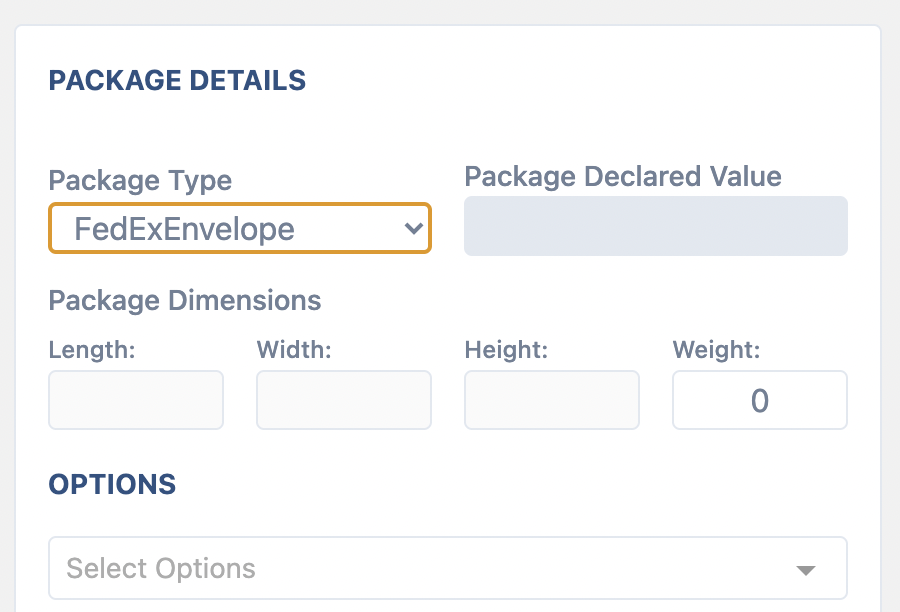
insurance:
This is the dollar value you are buying insurance for (declared value). Anything under $100 will be ignored.
---------------
NOTES:
The column names must match exactly, all lower case but do not need to be in any particular order. You may upload a TSV or CSV file.
There is a max of 50 records per file. You can easily split with this free service https://shipleap.freshdesk.com/a/solutions/articles/48001223609
Do not include blank rows in your file (check the very bottom where blank rows live sometimes). The process won't work with blank rows.
Was this article helpful?
That’s Great!
Thank you for your feedback
Sorry! We couldn't be helpful
Thank you for your feedback
Feedback sent
We appreciate your effort and will try to fix the article