
Sometimes, there is an issue with logging into the desktop app on new PCs. Try to drop in an empty config file in to this folder
1. Navigate to the appdata folder. Type in %APPDATA% at the start. See below

2. Click on the shipleap folder
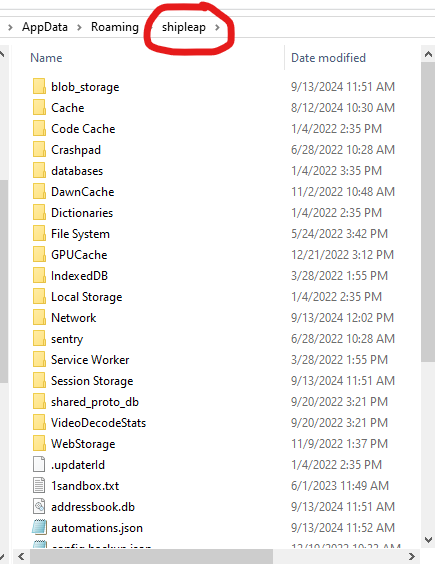
3. Open up notepad and create an empty file called config.json into this folder

4. Try to login to ShipLeap again
5. If that doesn't work, add 2 empty brackets {} into that file. Save and try to login again.