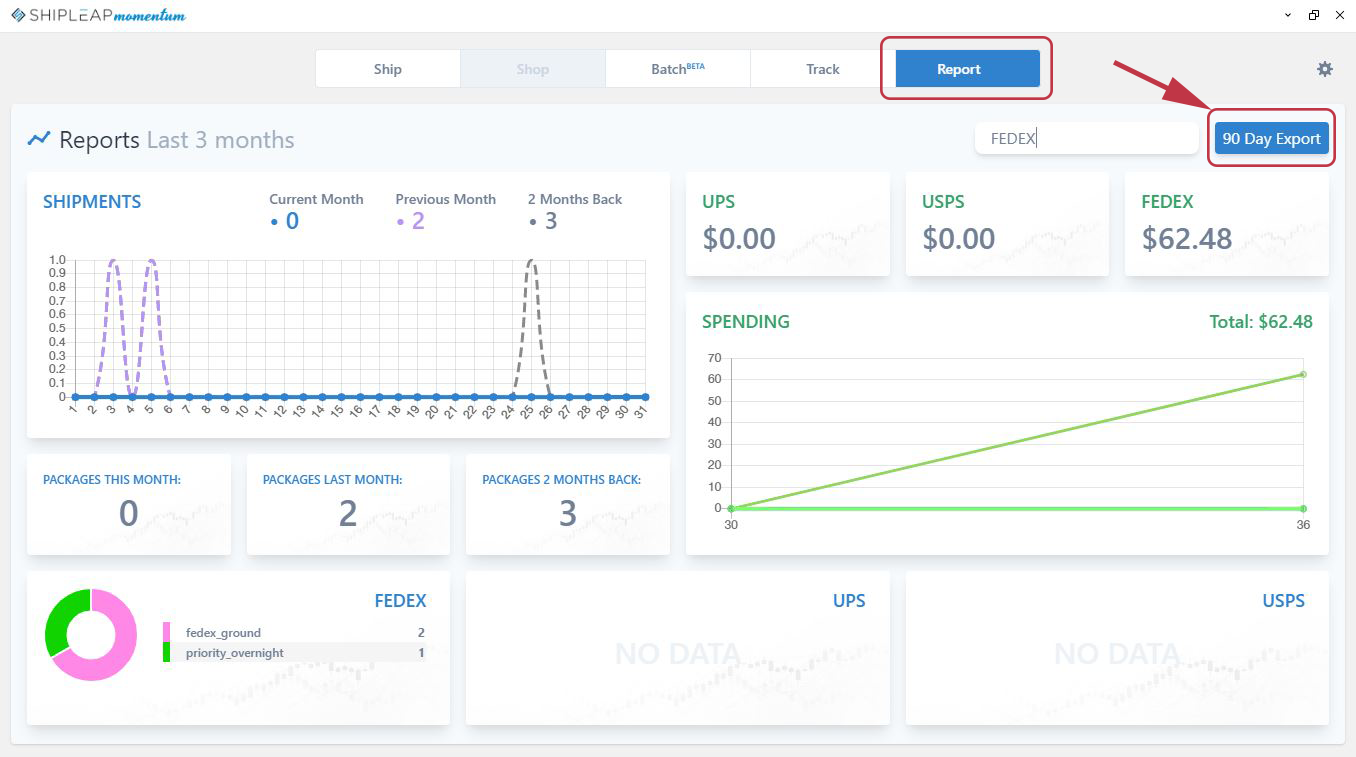
You can export all data from your account by hitting the export CSV button from the Report tab.
Before you hit the button, you can filter the results. You can filter with things like state, customer name, invoice number, carrier. Currently, you can only go 90 days back. Contact support@shipleap.com for data older than 90 days.
Was this article helpful?
That’s Great!
Thank you for your feedback
Sorry! We couldn't be helpful
Thank you for your feedback
Feedback sent
We appreciate your effort and will try to fix the article